Hoopla: Your Library, Anywhere
- 4.7
- Rating
- 5.00M
- Installs
- Free
- Price
 Analysis by App-foxy
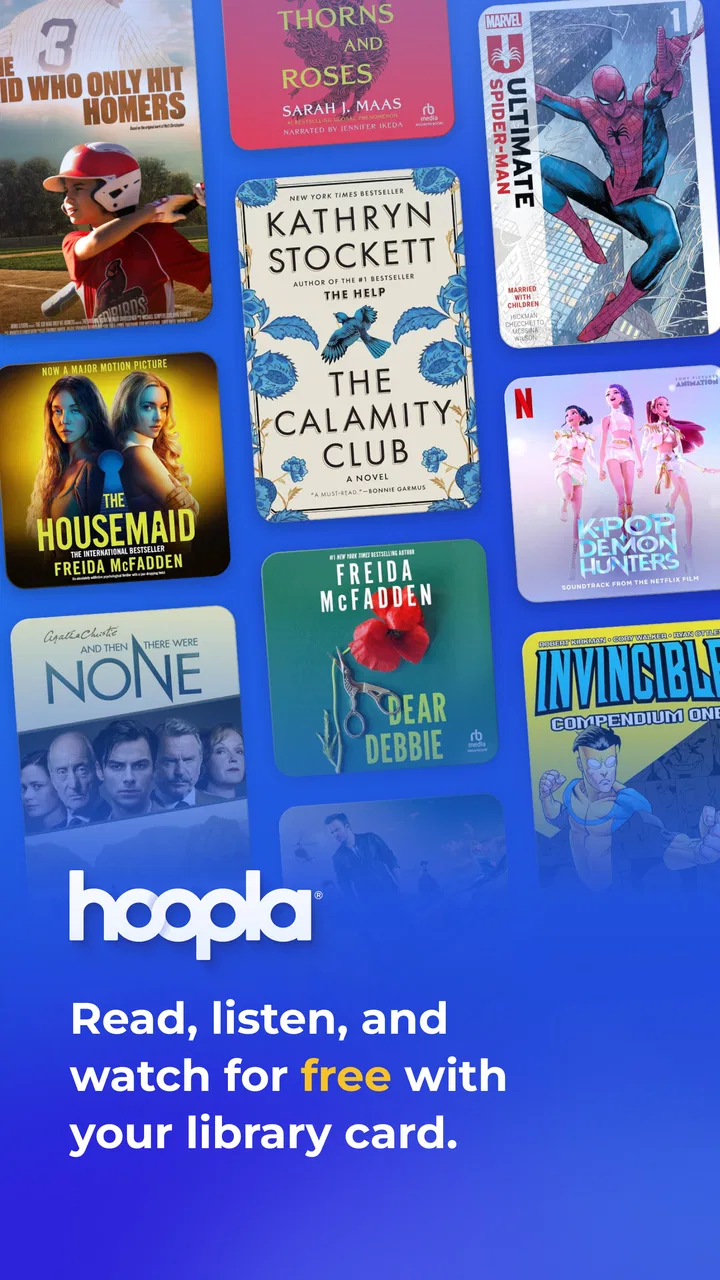
I like library apps most when they make borrowing feel as natural as opening a streaming service, without quietly turning every choice into another subscription. Hoopla: Your Library, Anywhere comes close to that ideal. It is a free Books & Reference app from Midwest Tape LLC that lets participating library-card holders explore digital books, comics, music, movies, shows, and other media in one place. In my experience, its biggest strength is not that it replaces every entertainment app; it is that it turns a library card into a flexible source of things to read, watch, and listen to.
That distinction matters. Hoopla is not simply a digital bookshelf, and it is not a full substitute for a major commercial streaming platform. Its usefulness depends on the library connected to your account, the material available there, and the borrowing rules attached to that collection. When those pieces line up, it can be remarkably convenient. When they do not, the experience can feel more limited than the broad selection on the opening screen suggests.
Why Hoopla works best as a library companion
The app has been available since May 25, 2013, and its long presence shows in the basic idea behind it: one library login can open several kinds of digital media rather than forcing you to manage separate services. The store listing describes access to books, comics, music, movies, shows, and more, and that range is the reason I would recommend trying it before paying for another entertainment subscription.
You May Also Like

 Blood Strike: 2.5 Anniversary
Blood Strike’s Loadouts Turn Every Drop Into a Tactical Gamble
A close look at Blood Strike’s custom loadouts: how fast access to signature weapons reshapes its battle royale rhythm, rewards preparation, and narrows the gap between fights.

 Pandora - Music & Podcasts
Pandora’s Music Is Easy to Start, but Harder to Recover
Pandora’s strength is its low-effort path from a seed to a station. Its weak spot is how much confidence it asks you to place in connection, setup, and quiet recovery.

 8 Ball Pool
 Is Built on Rivalries, Rematches, and Routine
A close look at the rivalries, rematches, shared routines, and unanswered safety questions that turn a quick pool match into a persistent mobile community.

 Samsung Music
’s Quiet Strength Is Playing What You Already Own
Its reach comes less from spectacle than from dependable access to a personal library. That simplicity is both the app’s strongest retention engine and its ceiling.

 AccuWeather: Weather Radar
AccuWeather Review: A Quick, Clear Forecast for Everyday Decisions
For everyday plans, the best forecast is the one you can understand quickly. AccuWeather makes rain timing, radar, and local conditions easy to act on, with a few trade-offs.

 Hill Climb Racing
Why Hill Climb Racing Still Turns Crashes Into One More Run
A tiny car, a bumpy hill and one more upgrade: Hill Climb Racing keeps resurfacing because its simple chaos makes every near-miss feel personal.
More From Our News Desk



I found the mixed format approach especially useful for households with different habits. One person can use the app for an audiobook or ebook, another can browse comics, and someone else can look for a film or television program. It is a more practical arrangement than maintaining separate accounts for every type of content. The app’s Teen content rating also makes it relevant to older children and teenagers, although adults should still make individual choices about what younger family members borrow.
The first important step is connecting a supported library card. That may sound routine, but it determines much of what follows. Hoopla is only as useful as the digital collection and borrowing access associated with your library. Two people in different areas can have noticeably different experiences, even while using the same app. I would therefore treat the service as an extension of your local library rather than as a universal catalog with identical access for everyone.
That local connection is also part of the app’s charm. Instead of searching the entire internet for something affordable, I can begin with a resource I already have through my library. The free price is meaningful here: there is no purchase decision attached to each title inside the app. For someone trying to control monthly spending, that can make casual discovery much easier.
Browsing across books, comics, music, and video
Hoopla’s broad catalog concept encourages a different kind of browsing from a dedicated ebook reader. I might arrive looking for a novel and end up checking out a documentary, a comic, or an album. That variety is useful when I do not have a fixed plan, particularly on a quiet evening when I want something enjoyable but do not want to compare several paid services.
At the same time, the breadth can make the app feel less focused. A specialist reading app will usually offer a more refined reading environment, while a dedicated video service may make discovery faster for films and shows. Hoopla’s advantage is the single library-centered doorway, not necessarily the deepest tools in every individual category.
One practical habit improves the experience: I decide what kind of session I want before browsing. If I am choosing an audiobook for a commute, I search and borrow with that use in mind. If I am looking for a film, I avoid spending too long comparing unrelated books and music. This small change keeps the variety from becoming distraction.
The same approach helps when sharing the service with family. Rather than presenting the entire catalog as an endless menu, I would suggest a short list of categories or themes. A teenager might explore comics and music, while an adult reader may focus on ebooks or audiobooks. The app becomes easier to use when each person has a clear starting point.
The everyday scenario where it earns its place
Imagine leaving for a weekend trip and realizing you want several kinds of entertainment without packing physical media. I could use a library card to find a book for quiet time, a comic for a shorter break, music for travel, and a movie or show for the evening. That is a stronger use case than simply replacing one ebook app, because Hoopla brings several forms of media into the same borrowing routine.
It is also useful during a temporary change in routine. Someone recovering at home, commuting more often, or trying to make evenings less expensive can build a rotating selection from the library instead of buying every title individually. The service is particularly appealing when curiosity is high but commitment is low: I can sample a format or subject without treating every experiment as a purchase.
For parents and caregivers, the combination of formats can make library access more adaptable. A young reader may lose interest in a long book but stay engaged with a comic or an appropriate show. The Teen rating is a helpful general signal for the app itself, but I would still preview individual titles and use personal judgment rather than assuming every item suits every teenager.
What the strong public response tells me
Hoopla has an average rating of 4.7 from around 210 thousand ratings, with roughly 82 thousand written reviews. It has also passed 5 million installs. Those figures do not guarantee that every library collection or device experience will be perfect, but they do suggest that the central borrowing model works for a large audience.
I see the strongest evidence in the kind of problem the app solves. It gives library members a way to discover digital media without starting from a blank commercial account. The service has a clear purpose, and that purpose remains valuable even when individual titles come and go. A library card is often underused; Hoopla gives it a more visible role in everyday digital entertainment.
The developer, Midwest Tape LLC, is associated with the app’s library-media focus, which helps explain why the experience feels broader than a conventional reading application. The design goal is not just to deliver one type of file. It is to connect library users with a varied collection through a single account and a familiar mobile interface.
Where the experience can become frustrating
The main weakness is the dependence on local library access. If your library does not participate, or if its collection is small in the format you want, the app cannot solve that problem by itself. Even with access, the titles and borrowing conditions available to one user may not match those available to another. I would check with my library before relying on Hoopla as my only source for a particular book, film, or album.
This matters most when I have a deadline. If I need a specific textbook, a newly released film, or a particular audiobook for a trip tomorrow, a commercial store or subscription service may offer a more predictable route. Hoopla is better for flexible discovery and planned borrowing than for guaranteeing immediate access to one exact item.
The all-in-one structure also involves a trade-off. A person who mainly reads may prefer an app built around reading controls, shelves, notes, and a highly specialized ebook workflow. Someone who mainly watches films may prefer a video service designed around recommendations and continuous viewing. Hoopla earns its place by combining formats, but that combination means it may not feel like the best specialist tool in every category.
I also would not approach it as an unlimited buffet. Library borrowing is still borrowing, and access is shaped by the rules connected to the account. Before building a long queue for a trip or a study project, I would check the relevant borrowing details in the app and plan around them. The free price is a major benefit, but it does not mean every title is permanently available whenever I want it.
Small habits that make borrowing smoother
My first tip is to use the app for discovery, not only for planned searches. A narrow search is useful when I know the author or title, but the mixed catalog can reveal formats I would not have considered. I might begin with a subject and then compare a book, comic, or documentary rather than assuming the first result is the only worthwhile option.
My second tip is to borrow with the situation in mind. A long audiobook may suit a regular commute, while a comic or shorter program may be better for scattered breaks. Choosing according to available time prevents the common frustration of borrowing something ambitious and then never getting to it.
A third useful habit is to keep a personal shortlist outside the app. Because digital catalogs can change and borrowing access may be limited, I would note a few alternative titles before starting a search. That way, if the first choice is unavailable, I can move to a second or third option without abandoning the session.
For households, I would separate browsing decisions rather than letting everyone search at once. Give each person a clear category or evening slot, then review the selected items together. This reduces accidental borrowing and makes the broad catalog feel manageable. It also turns the app into a shared library routine instead of another source of endless scrolling.
Who should use it, and who should look elsewhere
I think Hoopla is an excellent fit for people who already have a library card and want more value from it. It is especially appealing to readers who also enjoy comics, music, movies, or shows, because the app’s range gives them a reason to return even when they are not in the mood for a book. It also suits budget-conscious users who prefer borrowing to buying and families who want several media types under one library connection.
It is a good choice for curious users rather than collectors. If I want to sample a new author, explore a subject, or try a different format without paying for each experiment, the app makes sense. Its free access changes the emotional side of discovery: I can stop if something is not for me without feeling that I wasted a purchase.
I would be more cautious if I needed permanent ownership. Borrowing is not the same as building a personal digital library, and Hoopla is not the right primary tool for someone who wants to keep every purchased ebook, album, or film indefinitely. A commercial store is usually better for ownership, while a specialist service may be better for deep tools in one medium.
I would also look elsewhere if my library access is unreliable or if I mainly need the newest releases. In those cases, the app may still be worth checking, but I would not make it the foundation of my entertainment plan. Its best results come when I can stay flexible about the exact title and enjoy the library’s selection as it stands.
My final take on the free library model
After using Hoopla as a broad library companion, I see it as one of the more practical ways to turn a library card into a daily digital resource. The app’s appeal comes from the combination of formats, the absence of a purchase price, and the freedom to move between reading, listening, and watching. It is not trying to be the perfect specialist reader or the most comprehensive video platform, and judging it by those standards misses its central value.
The limitations are real: access depends on the participating library, collections differ, and borrowing is less predictable than buying or subscribing to a dedicated service. Still, those trade-offs are reasonable when the goal is affordable discovery rather than guaranteed ownership. I would recommend starting with one realistic need, such as an audiobook for a commute or a film for a quiet evening, and then exploring the other formats once the library connection works well.
For a free library media app, Hoopla offers an unusually useful range. Its 4.7 average and substantial install base reflect a concept that is easy to understand and genuinely helpful in everyday life. My recommendation is clear: try it if you have a compatible library card and enjoy borrowing across several formats. Skip it as your main service only if you require permanent ownership, specialist tools, or guaranteed access to specific new releases. For everyone else, it is a smart way to make an existing library membership feel much more present on a phone.
Hoopla works best when I treat it as a flexible extension of my local library, not as a replacement for every app I already use. That mindset sets the right expectations and reveals its strongest quality: it makes experimentation affordable, varied, and surprisingly easy to fit into ordinary routines.
FAQs for Hoopla: Your Library, Anywhere
01What is Hoopla and how does it work?
Hoopla is a digital media service that allows you to borrow movies, music, audiobooks, ebooks, comics, and TV shows using your library card. It's designed to provide instant access to a vast collection of titles, which you can stream or download for offline use. It's available on both Android and iOS devices, making it a convenient option for library patrons.
02Is there a cost associated with using Hoopla?
Using Hoopla is completely free as long as you have a valid library card from a participating library. Libraries cover the cost of the service, allowing patrons to enjoy a wide range of digital content without any charges or hidden fees. Check with your local library to see if they offer Hoopla.
03How many titles can I borrow at once on Hoopla?
The number of titles you can borrow from Hoopla depends on your library's lending policy. Typically, you are allowed a certain number of borrows per month, which can range from 3 to 10 items. Once you reach your limit, you will need to wait until the next month to borrow more titles.
04Can I use Hoopla on multiple devices?
Yes, Hoopla can be used on multiple devices as long as you are logged in with the same account. This means you can start watching a movie on your phone and finish it on your tablet. The app syncs across devices, so your progress and borrowed items are always up to date.
05What types of content are available on Hoopla?
Hoopla offers a diverse range of content including movies, music, audiobooks, ebooks, comics, and TV shows. The library is continually updated with new titles, spanning various genres and interests. Whether you're looking for the latest bestseller or a classic film, Hoopla provides something for everyone.
Pros
- Wide selection of ebooks and audiobooks
- Easy to use interface and navigation
- Offline access to downloaded content
- Free to use with library membership
- No ads interrupting the experience
Cons
- Limited availability based on library affiliation
- Occasional bugs with audiobook playback
- Some titles have limited borrowing periods
- Requires internet for initial download
- Not all libraries participate in Hoopla

Hoopla: Your Library, Anywhere
Gallery